


This method allows you to RDP into Entra-joined (cloud only or hybrid) Windows devices using your Entra ID credentials. This can be a great resource to leverage remote devices that meet the prerequisites to help with troubleshooting system changes without having to be physically next to them.
Prerequisites
- Supported version of Windows
Windows 10 Version 20H2 or later
Windows 11 or later - Device is Entra joined
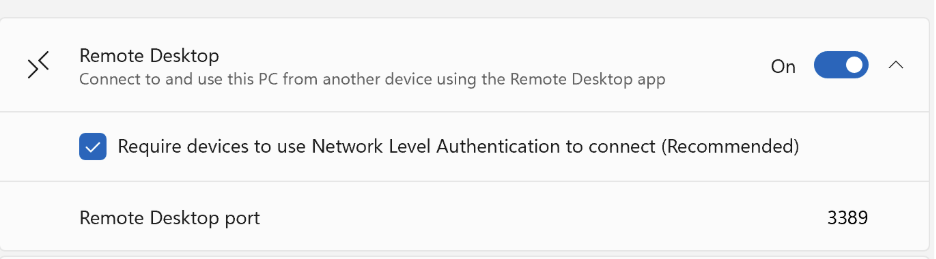
- The remote device needs to have Connect to and use this PC from another device using the Remote Desktop app selected (Go to Settings > then System).
- Remote Credential Guard is turned off for the device connecting to the remote device.
- Add users to Remote Desktop Users group on the remote device.
- PKU2U needs to be enabled.
- The admin device and the target device need to be in the same Entra tenant
Step-by-step guide
Step 1: Enable remote desktop on the remote device
On the remote PC:
- Open Settings
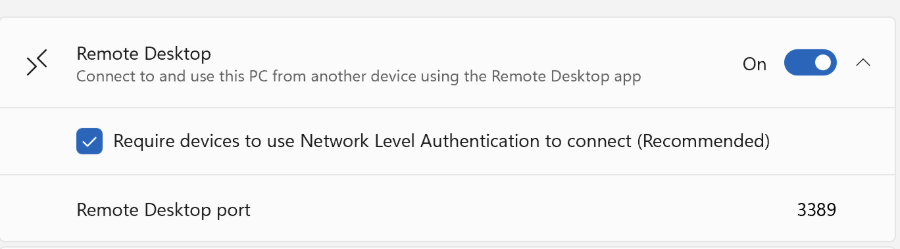
- Go to System > Remote Desktop
- Turn on Remote Desktop
- Ensure Network Level Authentication is enabled (Microsoft recommended)
Step 2: Add your Entra ID user to Remote Desktop Users (local admin)
Method A: Adding users manually (requires local administrator rights)
- Open Command Prompt (Run as administrator)
- Type net localgroup “Remote Desktop Users” /add “AzureAD\<userUPN>”
Method B: Add user via Microsoft Intune
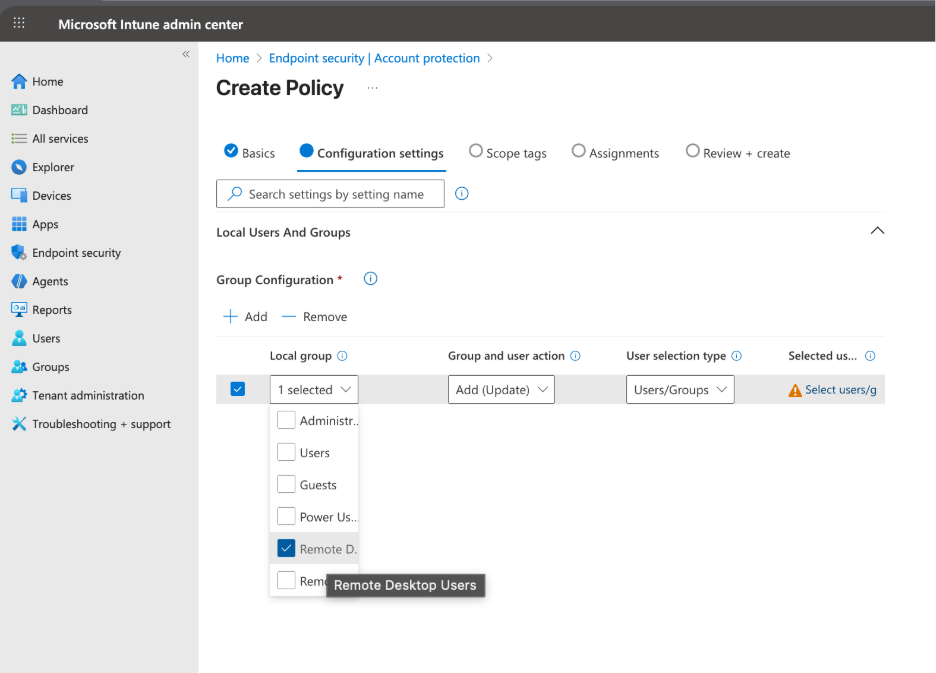
- Create policy in Microsoft Intune, Endpoint Security > Account Protection > Local User group membership
- Add your IT admin group or end users to Remote Desktop Users
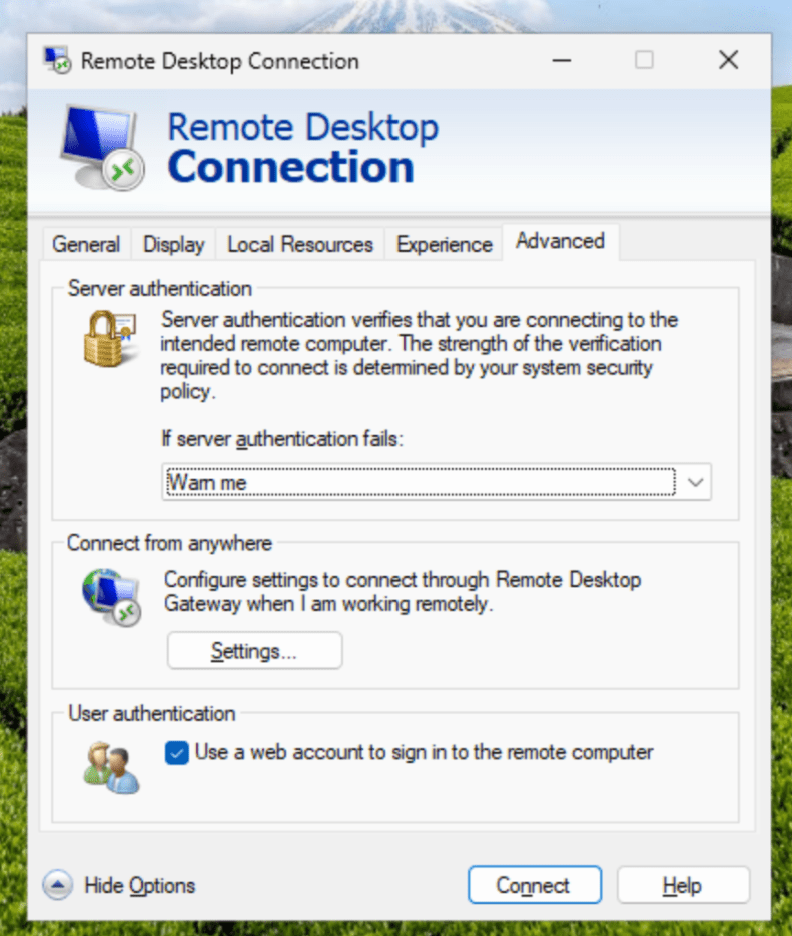
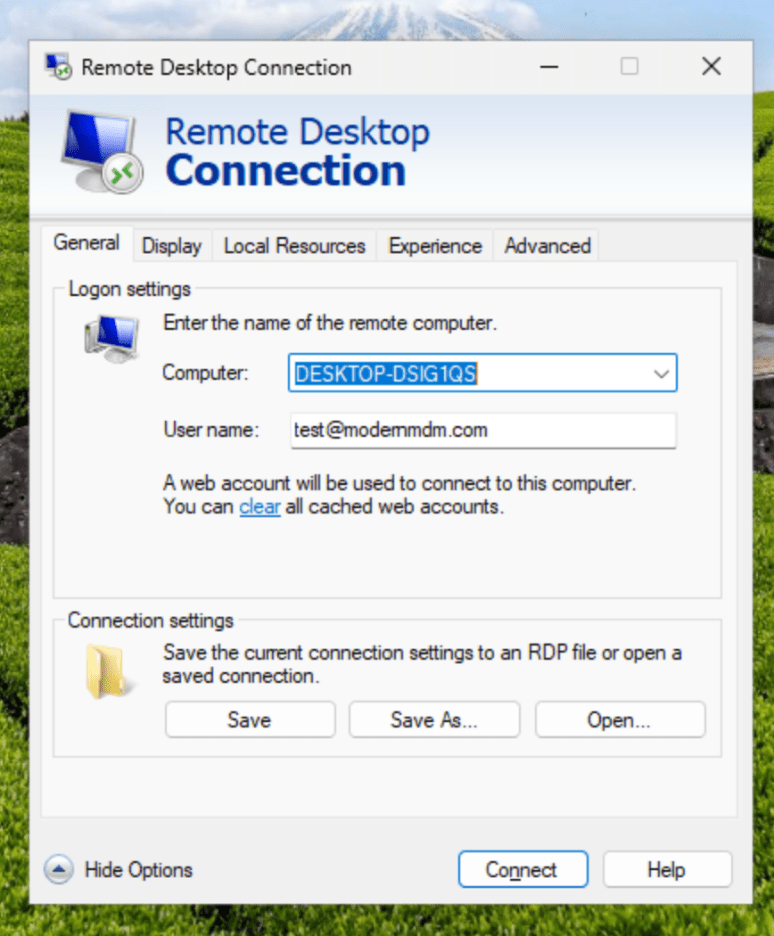
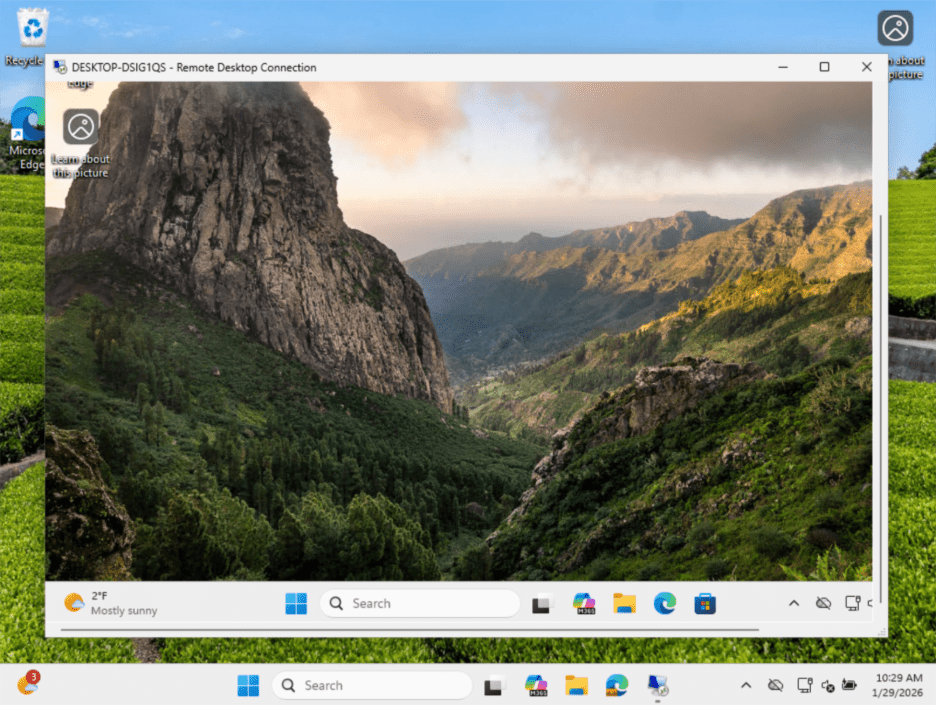
This shows the experience of RDP, connecting to Device B from Device A using a web account to sign in to the remote computer.
Summary
You can connect to Entra devices with RDP using your Entra credentials if all the necessary conditions are met. This handy feature lets IT admins troubleshoot and fix issues remotely, so there’s no need to be onsite. Remote support is critical for IT professionals. It helps you handle problems quickly, manage large organizations easily, and keep an eye on systems from anywhere. Learn more about WMI capabilities on Windows 11 25H2 devices, or you can find details on file sharing for Entra devices.