




The end of the year is quickly approaching. The holidays are already here, and Recast wants to spread some cheer. We’re delivering an extra helping by introducing Application Workspace 4.4. This version is packed with a fresh design update, powerful reporting enhancements, and numerous administration and under-the-hood improvements. The festivities also don’t end there! We’ve checked your list (twice) and are delighted to introduce the much-anticipated preview to Managed Folders, giving you more control over how you organize your apps.
We hope these updates make your season a little brighter and bring productivity to your routines during this special time of year. Now let’s grab a cup of cider or hot cocoa, settle in, and explore what’s new in Application Workspace 4.4!
Organize Apps Your Way with Managed Folders
Holiday shopping lists can get long, and so can application lists. We know navigating a long list of applications slows users down, and you’ve made sure to share this opportunity with us. That’s why we’re excited to introduce the preview of Managed Folders, a new way to organize applications displayed in the Workspace tab.
Think of it like wrapping up presents: Whether it’s creative tools for your design team, coding utilities for developers, or tidying up browser and productivity tools, you can now curate an experience for every user. End users can simply toggle between the full application list and folder view, creating a cleaner, more intuitive workspace.
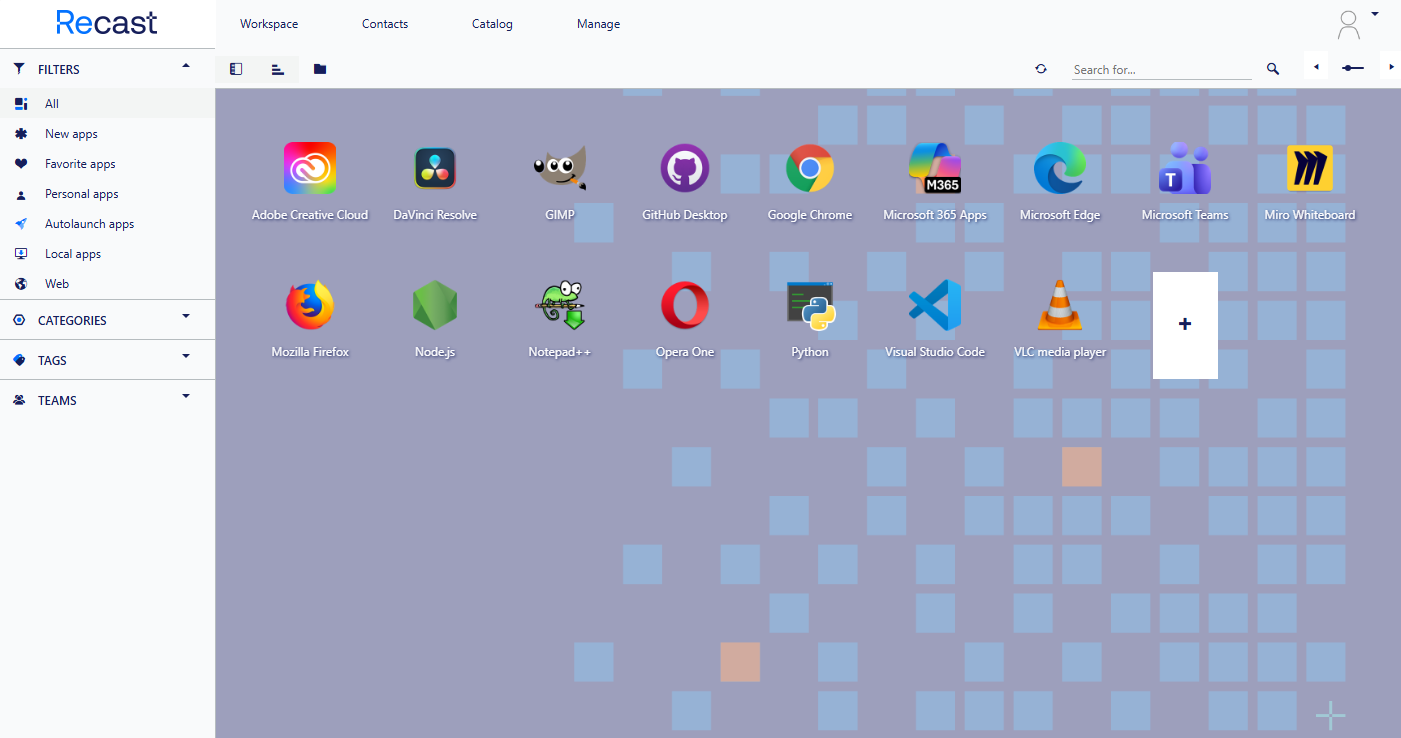
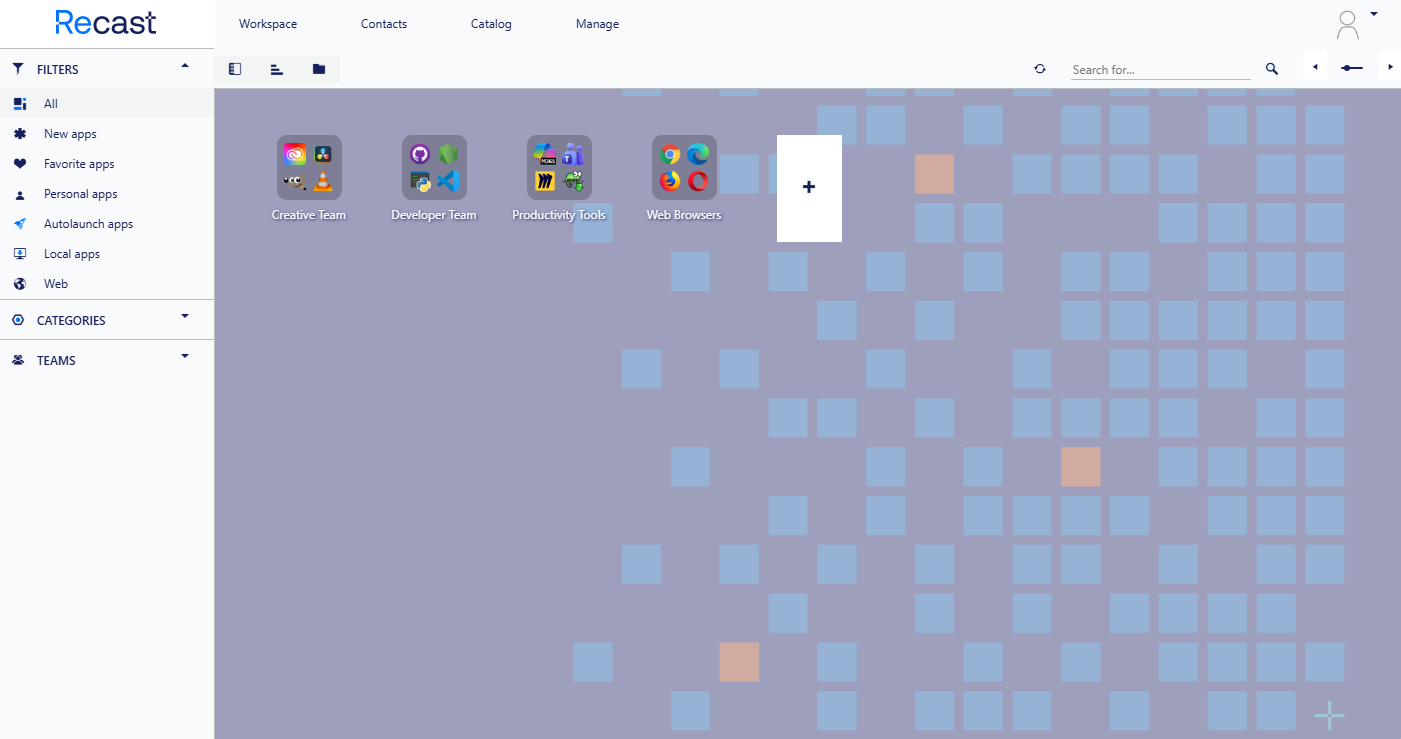
This feature is currently in preview, and we’re actively working on enhancements. You can expect even more in future updates.
Near Real-Time Reporting Data
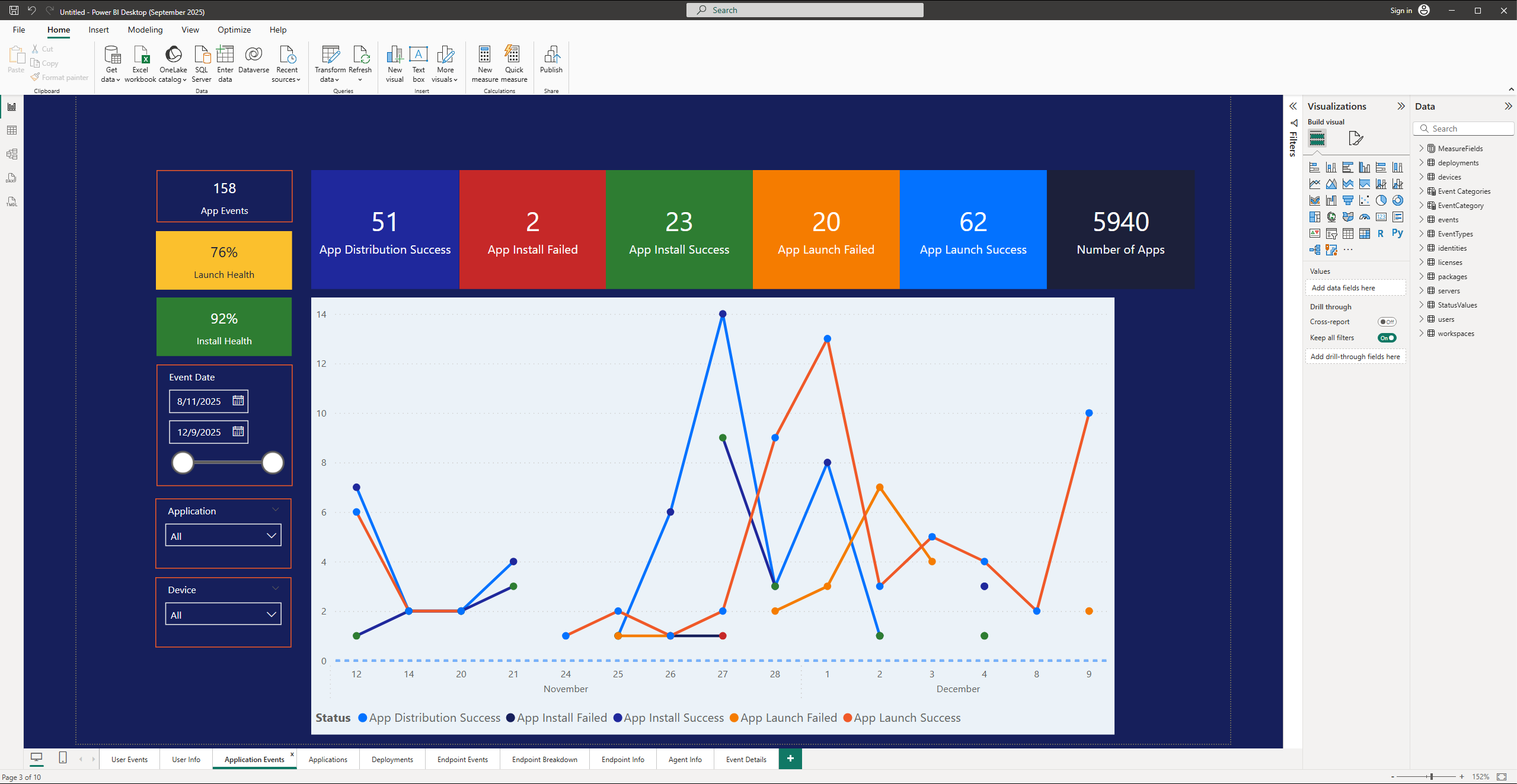
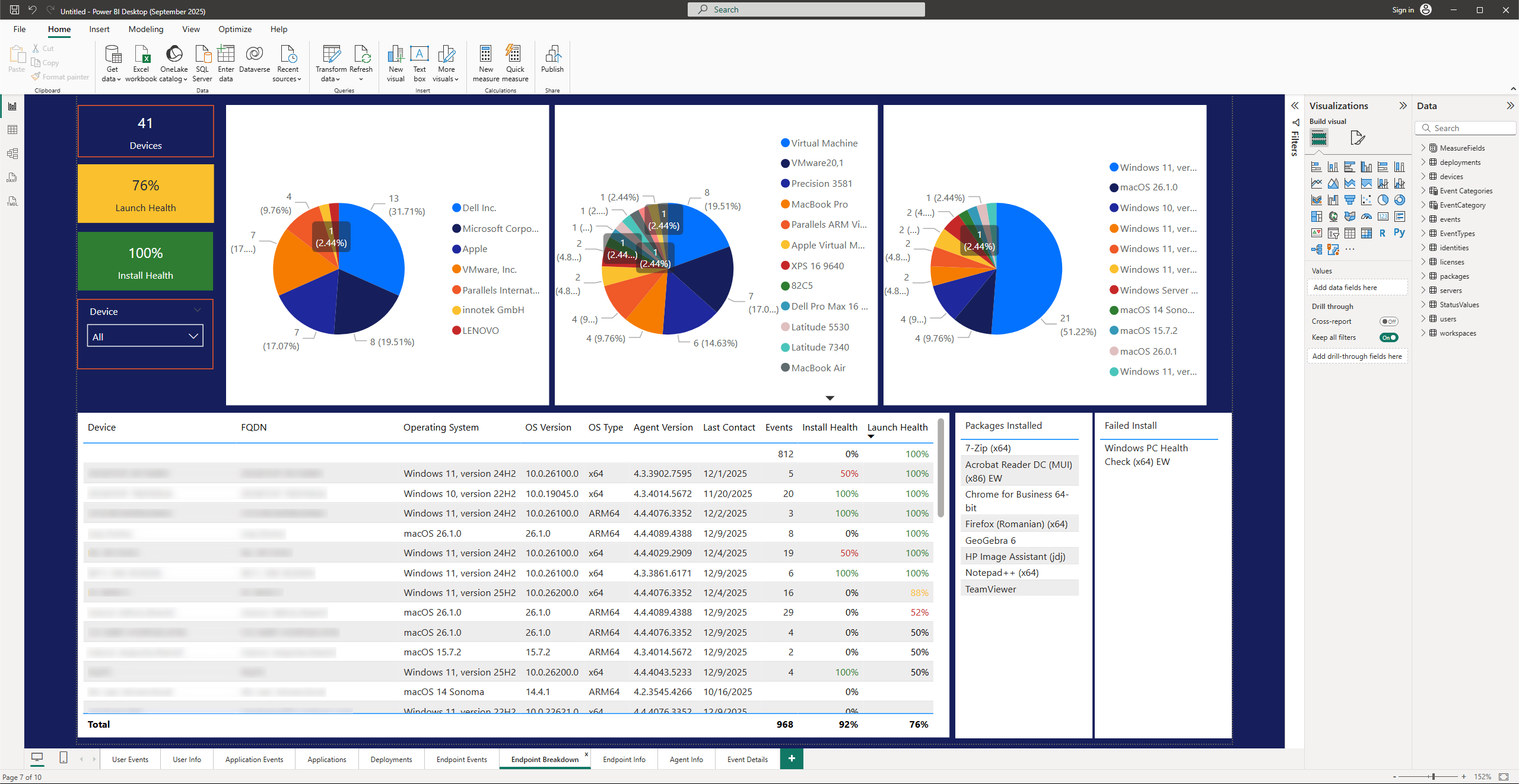
The holidays are all about clarity, whether it’s untangling lights or making sense of your environment. That’s why we’re introducing an improved reporting experience to help you see everything with more clarity.
With this release, you can access a new Power BI template (hosted externally for now) that goes beyond our existing reporting capabilities. It delivers richer detail and broader coverage, giving you insights into:
-
- Licensing usage
-
- Deployment status
-
- Launch health
-
- Install success/failure rates
Shine a light on your data this season by focusing on the trends and metrics that matter most. Leverage this template to make informed decisions and start the new year with a clearer view of your environment.
A Fresh UI for a New Year
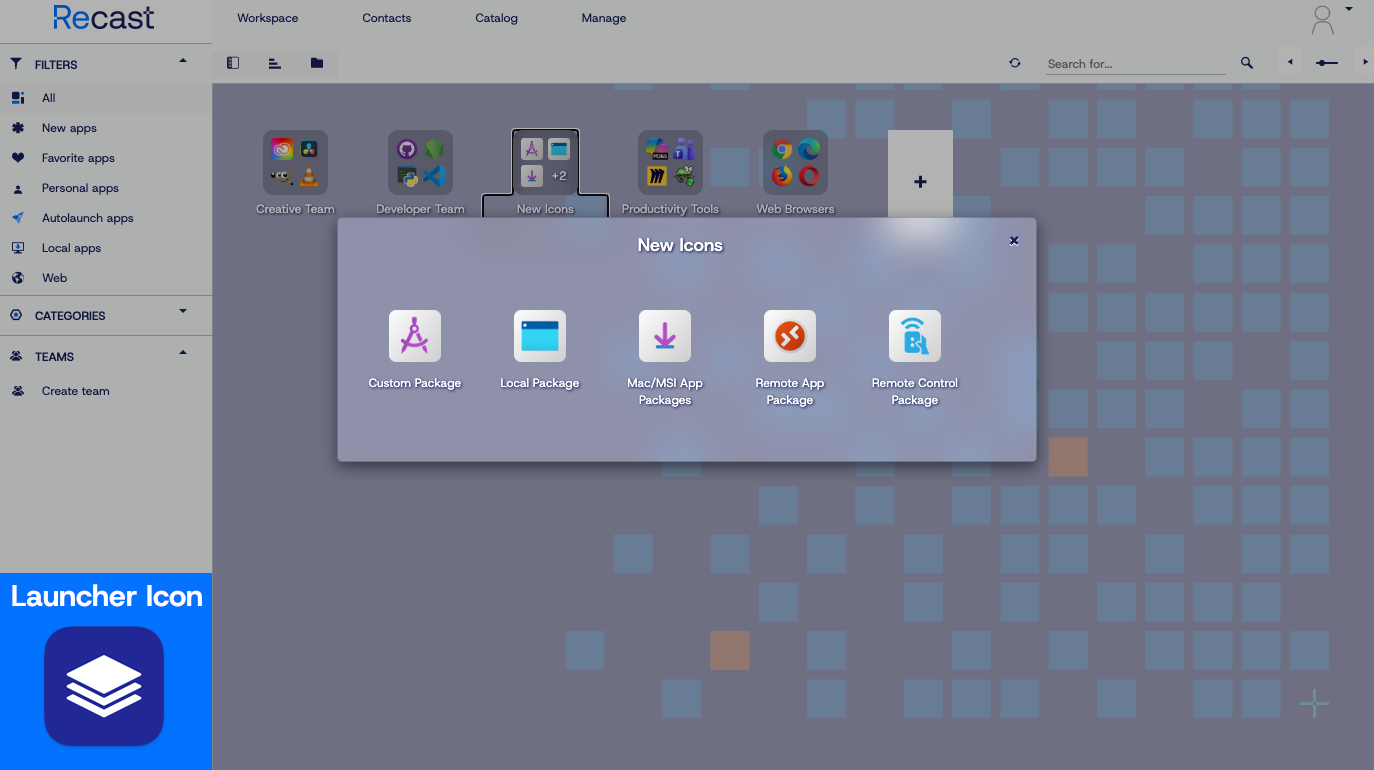
Application Workspace has a new look this holiday, no ugly sweaters here! As part of Recast’s rebranding initiative, we’ve updated the UI with our new color palette and refreshed visual identity.
Those with a keen eye will also notice a redesigned launcher icon along with updated default icons for packages and tags. These are small touches, but they make the experience modern, cohesive, and aligned with the rest of your Recast toolkit.
Smarter Administration and Under-the-Hood Improvements
We know the best gifts aren’t always the ones you see first. Behind the scenes, we’ve packed in the following upgrades to make your environment more robust and reduce administrative headaches:
-
- ACME Client Support: We’ve added support for Satellite Servers to automate certificate renewals with Let’s Encrypt and Google Trust Services.
-
- Deeper Auditing: You now have zone-level visibility into audit events.
-
- Microsoft Store Connector: Fully supported and no longer in preview.
-
- Custom Success Codes: We’ve included custom success codes for MSI, MSU, and MSP installs.
-
- Environment Variables: We expanded options for how you handle environment variables.
-
- PowerShell Module Updates: For the automation lovers, the Application Workspace PowerShell module now includes date range filters, context filter creation, and the ability to retrieve zone-level audit events.
-
- Log Level UI: You can now set the Application Workspace Agent log level directly from the UI.
-
- Offline Banner: The launcher now displays a banner when offline, keeping users informed of their connectivity status.
In Case You Missed It: 4.3.x Highlights
Before we wrap things up, let’s talk stocking stuffers. While Application Workspace 4.4 is the big gift under the tree, some recent updates from our 4.3.x releases are the little surprises that make a big difference. Here’s a quick peek at those features, because good things come in all sizes:
-
- Government & China Support: The Entra ID identity source now supports US Government and China (21Vianet) portals.
-
- AVD Compatibility: We expanded compatibility for App Attach in AVD environments using CimFS (Composite Image File System). MSIX app content can now be mounted as a read-only file system ideal for non-persistent desktops.
-
- Persistent Package IDs: Setup Store package shortcuts now have a persistent ID, which prevents them from being lost after package updates.
-
- Web Activity Logging: The UserHost log can now capture all web activity.
-
- Mail Server Cmdlets: New PowerShell cmdlets allow you to add and update Microsoft Graph mail servers directly through the Application Workspace PowerShell module.
-
- Teams Integration Alerts: Warning notifications for missing domain hints and Token Exchange authentication now appear in the Teams integration page.
Upgrade Timeline: Mark Your Calendar
Just like planning holiday gatherings, timing matters! Here’s when you can unwrap Application Workspace 4.4:
-
- On-prem customers: Upgrade via system updates or the download page starting December 10, 2025.
-
- Cloud customers: Upgrades available January 22, 2026.
Not All Leftovers Age Well…
While some holiday treats are worth saving, others have definitely passed their expiration date. The same goes for software versions, as Application Workspace 4.1 has officially reached end-of-life. If you’re still holding onto it, consider this your friendly nudge to upgrade and enjoy everything new in 4.4 (and beyond).
We’ve Checked Our List Twice—Help Keep It Growing
Managed Folders made the nice list because you asked for it. Our feedback portal went live last release, and it’s still the best place to drop that next wish.
Think of it as Santa’s workshop for Application Workspace—share your ideas, vote for your favorites, and help us decide what gets wrapped up for future releases. After all, the best gifts come from the people who use them every day.
Conclusion: Application Workspace 4.4 Is Here!
That’s a lot of holiday cheer packed into one release! From a refreshed look to smarter organization and deeper insights, Application Workspace 4.4 is ready to make your workday brighter. And with Managed Folders checked off the list, we hope this update feels like the perfect gift for your team. If you’d like all the stuffing the release notes have to offer, feel free to take a closer look.
Want to Learn More about Application Workspace?
Discover how Recast simplifies device onboarding and unifies application delivery across Windows, macOS, and virtual environments.
From all of us at Recast, happy holidays, and thank you for being part of our community! Here’s to a productive, simplified, and joyful year ahead.