




You already built those applications once. Here’s how to bring them across without building them again.
The Application Workspace Migration Utility helps admins bring application inventory and deployment packages from supported third-party management platforms into Application Workspace. Designed to run on Windows, the utility connects to one or more source platforms. It retrieves software inventory, matches applications against existing zone resources, and imports selected applications directly into the zone.
Why application migration projects stall
Moving to a tool like Application Workspace requires an initial lift.
The process can be cumbersome. You stand up the new environment the way you want it, then rebuild some or all of your existing applications in the new platform. That kind of migration typically requires a lot of time and effort. For example, you can’t simply point a tool at your ConfigMgr environment, click Go, and have it rebuild all your applications in Intune. The same principle applies if you’re moving to Workspace ONE. Either way, you find yourself recreating work. I understand the hesitation. Nobody wants to redo all that work, even when migrating is the smarter move.
Skip the rebuild with the Application Workspace Migration Utility
We built the Migration Utility to make the move easier. While this won’t move you from ConfigMgr to Intune or Workspace ONE, it will get your applications into Application Workspace much faster.
If you’re new to Recast Application Workspace, it provides a more flexible way to deliver applications and create a better experience for users. We’ve all heard the complaints about how long application delivery can take through Intune, depending on the environment. Application Workspace complements your existing management platform by improving delivery speed, giving you more control over customizations, and helping you avoid rebuilding work. If you haven’t seen Application Workspace in action, request a demo to learn how it can support application delivery across your environment. You won’t be disappointed.
That brings us back to the Migration Utility. Through our work with customers, we found that one of the biggest migration pain points is recreating applications that are not available in our third-party catalog. Some organizations have many applications to recreate. Others have fewer.
Import existing applications instead of rebuilding them
The Recast Application Workspace Migration Utility streamlines this process. It can pull from multiple sources, including ConfigMgr, Intune, PDQ, Jamf, Recast Right Click Tools Patching, ManageEngine, Workspace ONE, Ivanti Neurons, Big Fix, Lansweeper, and Kandji (Iru).
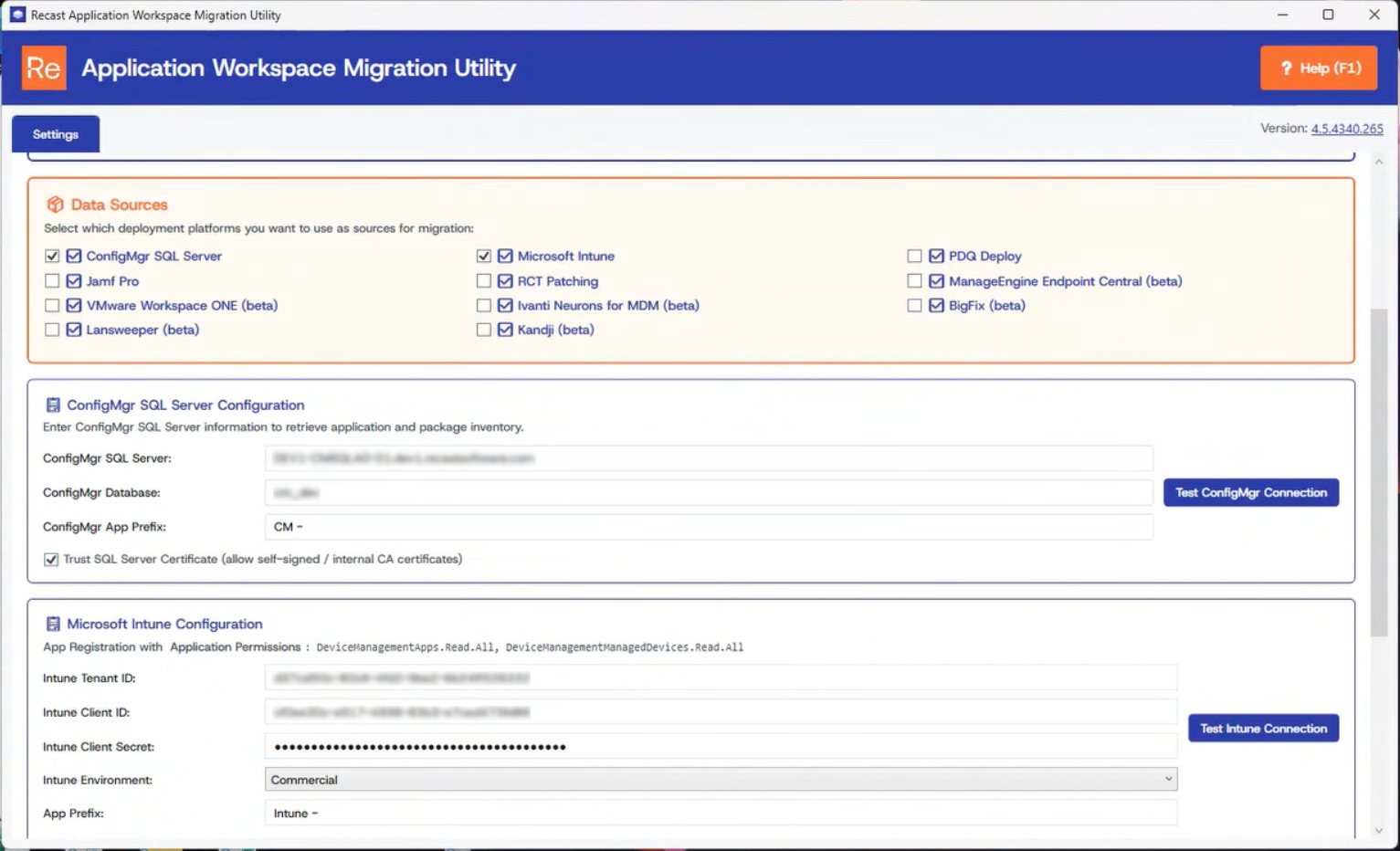
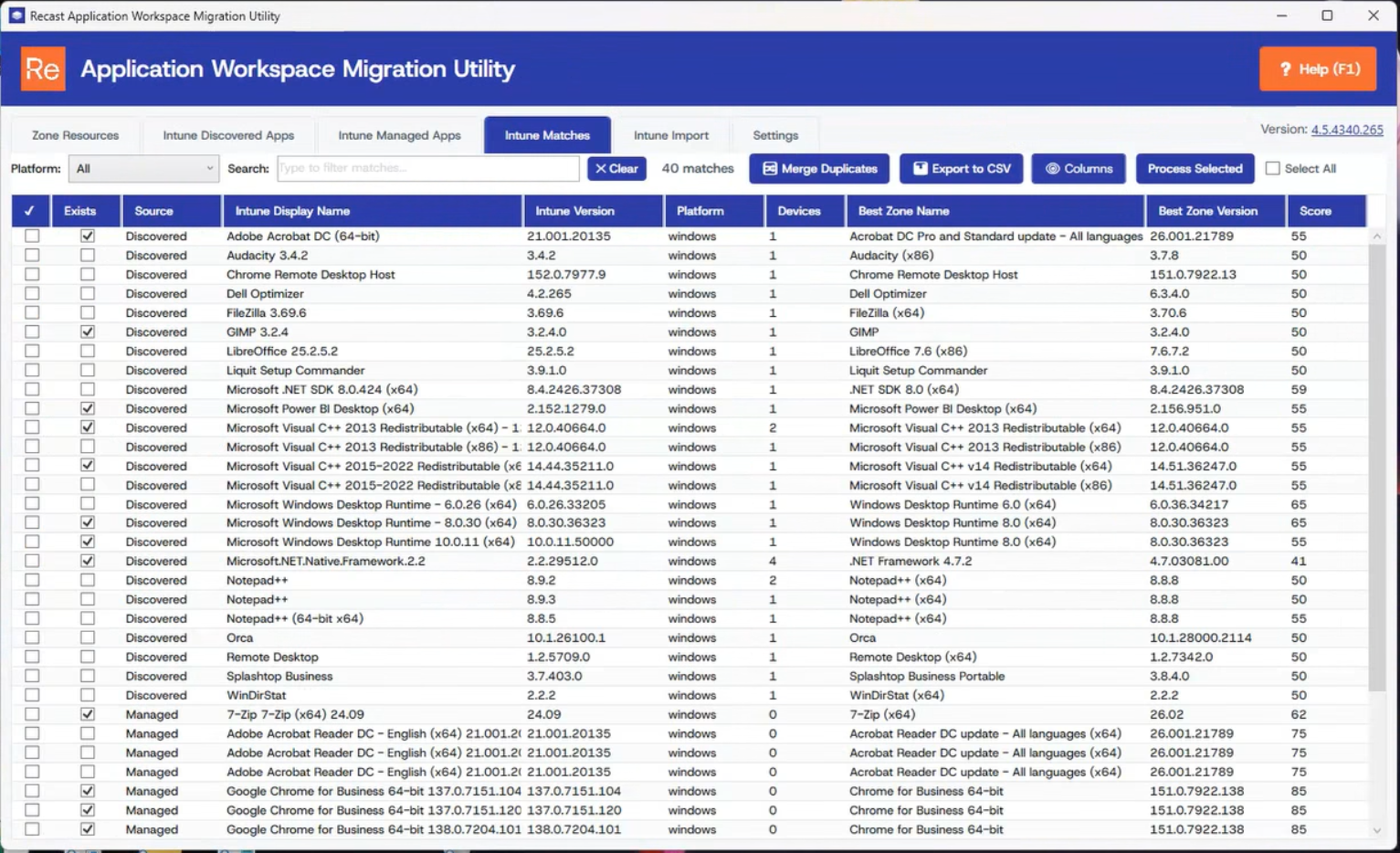
For each source, the utility pulls the available software inventory from your environment and attempts to match it against our third-party catalog. Once matching is complete, you can review the list and select the applications you want to enable. The utility then brings those third-party applications in from our catalog. You can entitle them to your users, and Application Workspace keeps them up to date. Instead of reviewing the catalog line by line, you can enable matched applications in bulk.
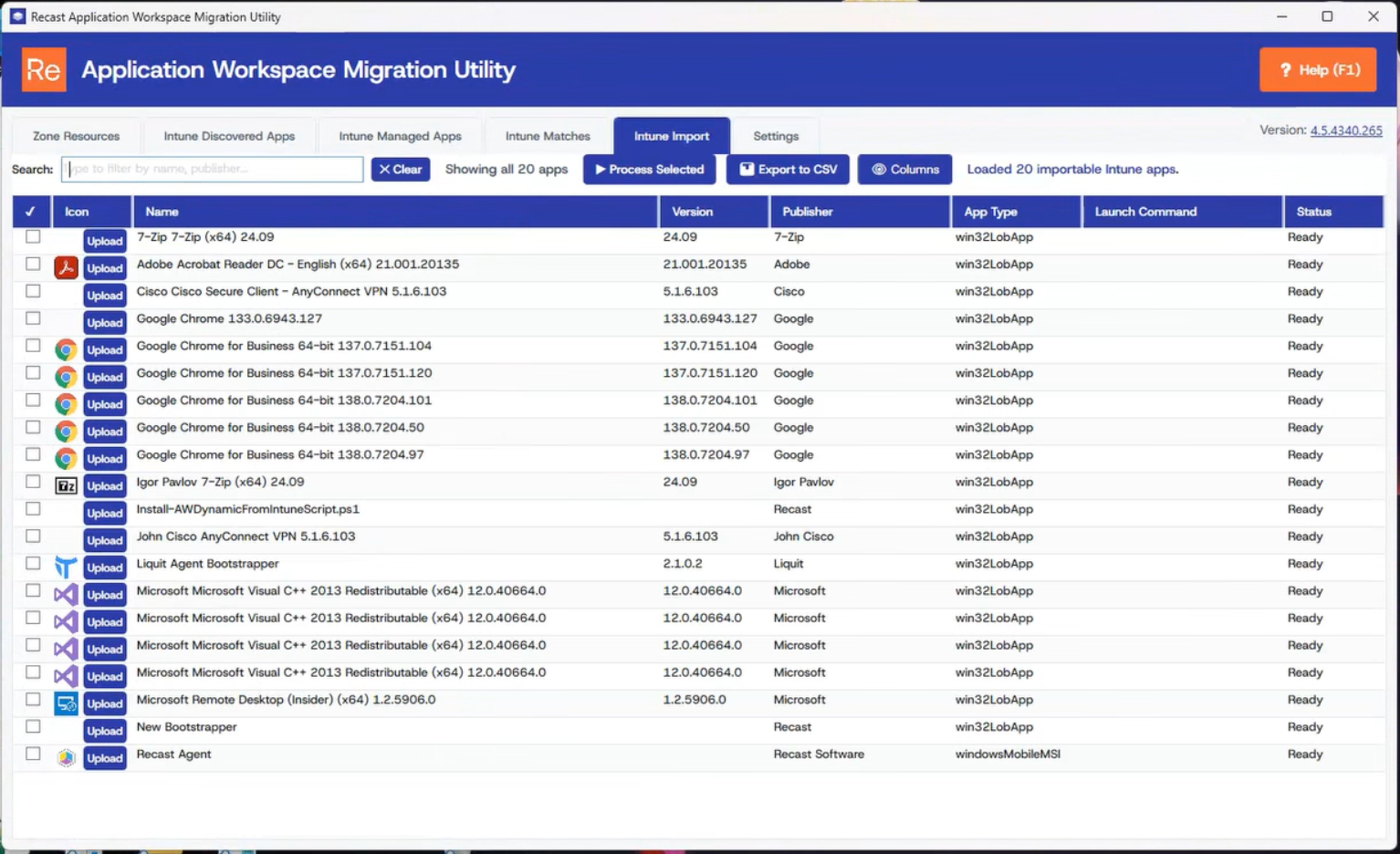
For some of these sources, including ConfigMgr, Intune, PDQ, Jamf, Big Fix, and Kandji (Iru), the utility can also import your existing built applications directly from their current environment. You don’t have to rebuild them. Point the utility to your existing environment, and it pulls the applications and packages you already have there. It then recreates them in Application Workspace exactly as you have them configured in the source tools. This saves the time and effort required to recreate that work manually.
The utility can reduce a migration that might otherwise require a hundred or more hours to under an hour. Start the migration and let the utility handle the matching and import work. That gives you time back to focus on the work that needs your attention.
The migration utility is now available through the Integrations tab on the Application Workspace download page. You can also check out our documentation to learn more about the migration process.
