
Resources
Right Click Tools
Enhance security, compliance, and efficiency across enterprise environments
Right Click Tools Patching
Right Click Tools Insights
Right Click Tools Privileged Access
Free Tool Download
Pricing

Application Workspace
The game-changing, end-to-end application management platform
Request a Demo
Pricing
Use Case
This is the final post of a mini series of small (but important) tips to help you when troubleshooting your Task Sequences. Tip 7 is: Run PowerShell Step
This is the sixth of a mini series of small (but important) tips to help you when troubleshooting your Task Sequences. Tip 6 is: Static IP Addresses and OSD
This is the fifth of a mini series of small (but important) tips to help you when troubleshooting your Task Sequences. Tip 5 is: Run Task Sequence Step
This is the fourth of a mini series of small (but important) tips to help you when troubleshooting your Task Sequences. Tip 4 is: SMSTS Log Stamping
This is the third of a mini series of small (but important) tips to help you when troubleshooting your Task Sequences. Tip 3 is: Variables Gather and Capture
This is the second of a mini series of small (but important) tips to help you when troubleshooting your Task Sequences. Tip 2 is: Task Sequence Pause
This is the first of a mini series of small (but important) tips to help you when troubleshooting your Task Sequences. Each day we'll post something simple and easy to start using right now. Tip 1 is: Use the Description Field as a way to version your Task Sequence.
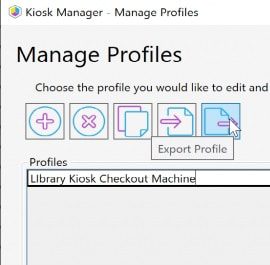
Recast Kiosk Manager is a fan favorite, used by many of our Enterprise customers to help control machines with a few clicks. Sometimes you want to deploy a computer and already have all of these settings applied, using the process Kiosk Manager uses, and stealing the end results, we can create a Task Sequence Module to deploy Recast Kiosk settings during OSD.