A Week of Task Sequence Tips: Day 07 – Run PowerShell Step
This is the final post of a mini series of small (but important) tips to help you when troubleshooting your Task Sequences. Tip 7 is: Run PowerShell Step
A Week of Task Sequence Tips: Day 06 – Static IP Addresses and OSD
This is the sixth of a mini series of small (but important) tips to help you when troubleshooting your Task Sequences. Tip 6 is: Static IP Addresses and OSD
A Week of Task Sequence Tips: Day 05 – Run Task Sequence Step
This is the fifth of a mini series of small (but important) tips to help you when troubleshooting your Task Sequences. Tip 5 is: Run Task Sequence Step
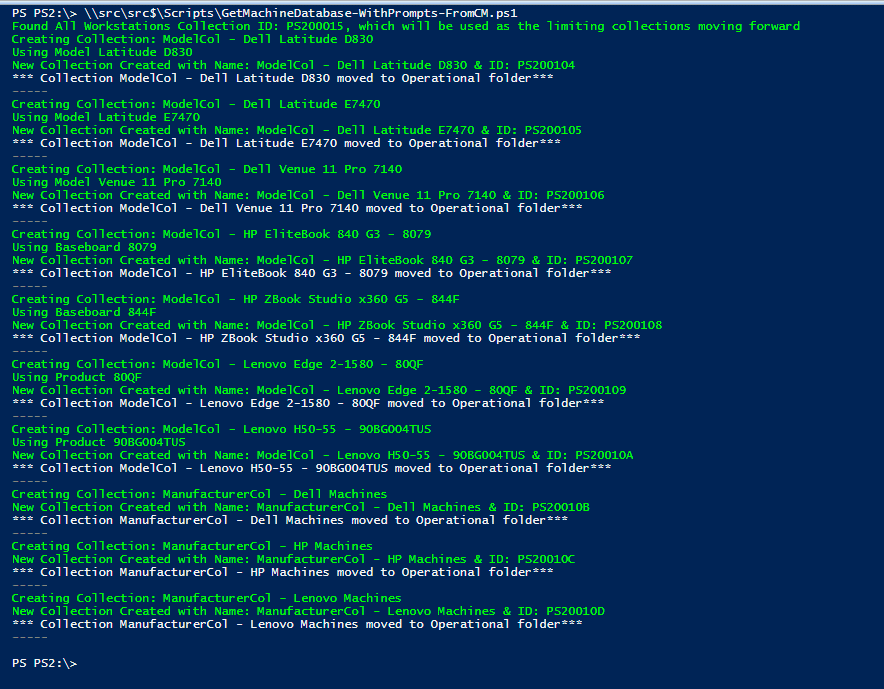
Having Model & Manufacturer collections can be quite useful. Targeting Client settings based on Manufacturer, deploying BIOS / Drivers based on Model, having collections makes it a bit easier.
Back in 2014, I published a blog post called, How to Avoid Receiving Inventory Re-Sync Requests for Snapshot VMs. What I loved about that post was how task scheduler was used to schedule ConfigMgr inventory thereby avoiding ConfigMgr re-sync errors. What I disliked about that 2014 blog post was how each TriggerSchedule task needed to be created by hand. Moving forward to 2020, I turned to PowerShell in order to solve this problem and automated the process.
A Week of Task Sequence Tips: Day 03 – Variables Gather and Capture
This is the third of a mini series of small (but important) tips to help you when troubleshooting your Task Sequences. Tip 3 is: Variables Gather and Capture
A Week of Task Sequence Tips: Day 01 – Tag Version in Description
This is the first of a mini series of small (but important) tips to help you when troubleshooting your Task Sequences. Each day we'll post something simple and easy to start using right now. Tip 1 is: Use the Description Field as a way to version your Task Sequence.
Recast’s ConfigMgr Community Influencer Highlights – Donna Ryan
In this Highlight series, we'll be covering stories from community influencers who have created tools or process that have greatly impacted the community.
Recast’s New Agent, Leverage the ConfigMgr Fast Channel
Here at Recast Software, we are always adding new functionality to benefit our users. We were asked if we could have our tools leverage the ConfigMgr fast channel, so after a bit of development time, a few "debates" among our team, and two HR interventions, we've came up with the Recast Agent.
Building a ConfigMgr Lab from Scratch: Step 11 – Operating System Deployment
In this post, we're going to confirm OSD, and make sure we have what we need for basic OSD. This post will NOT cover the fancy stuff, but just the basics of getting OSD working.
Someone on twitter pointed out that it would be better to use "Installed Software" instead of "Install Application" for the query, while I don't disagree, depending on your reasons, Installed software is not included in Hardware Inventory by default, so unless you went out of your way to enable it (and you should), you could not use it in a query.
How to Implement Unified Write Filter Manager with Right Click Tools
This post we'll cover Microsoft's Unified Write Filter (UWF) technology and how Recast's solution will remove some of the pain of implementation of UWF.
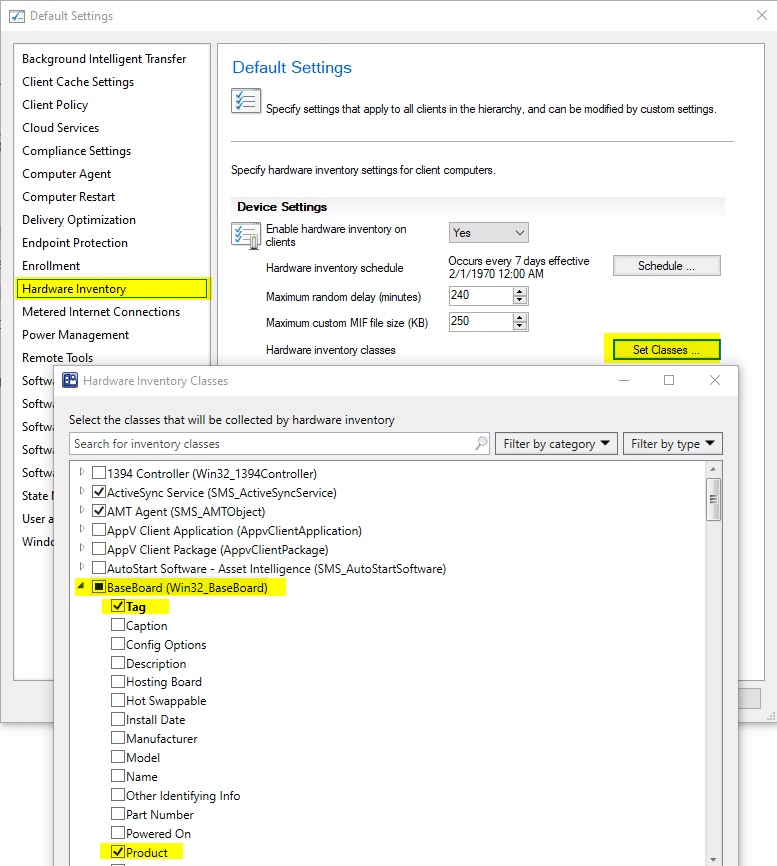
Learn how to add additional items into Hardware Inventory. Two examples, one for HP and one for Lenovo help to import additional information into your CM Database which will help with reporting and queries.
Many years ago, I published a blog post to help folks track down issues involving Hardware Inventory. By accident, while helping someone troubleshoot ConfigMgr hardware inventory issues, I noticed that a step was missing. In 99% of cases, no one would need or notice this step, but since I realized it was missing I decided to update my post.
From now on this guide should help pinpoint any (I hope) issues within the inventory flow from PC to Configuration Manager (ConfigMgr) database.
You've done your research. Now, let's take the next step streamline your IT management in the modern workplace. Request a customized quote today for your organization.