


The Configuration Manager Server will need the greatest amount of configuration of all the servers in your homelab, so it’s time to get the prerequisites set up. The good news is that there is software that will make the setup much easier and more straightforward.
The tool is located here https://msendpointmgr.com/configmgr-prerequisites-tool/
Getting Started
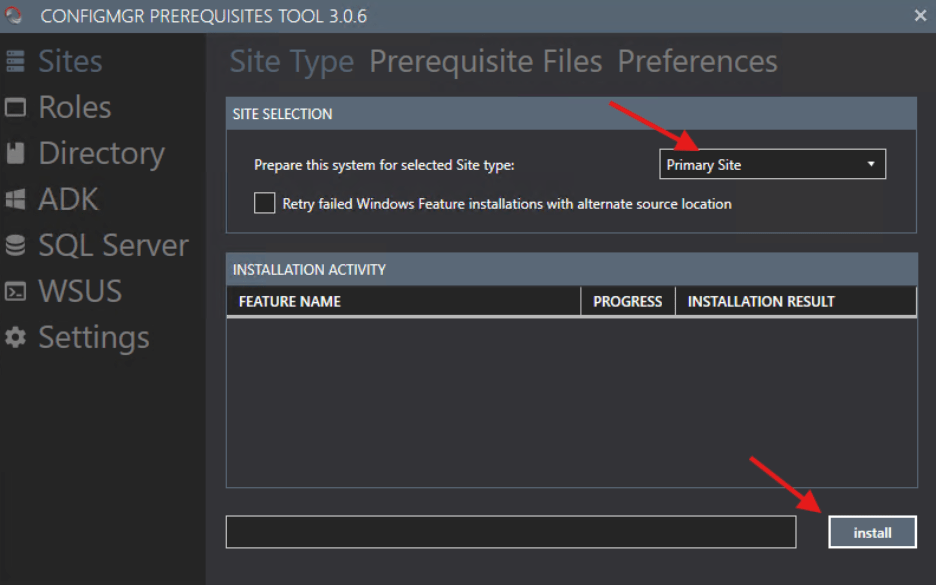
To begin, I’ve set the tools to install the prerequisite files for a primary site and clicked Install. During this install, it enables components like things like the .net framework, BITS, RDC, UpdateServices-RSAT.

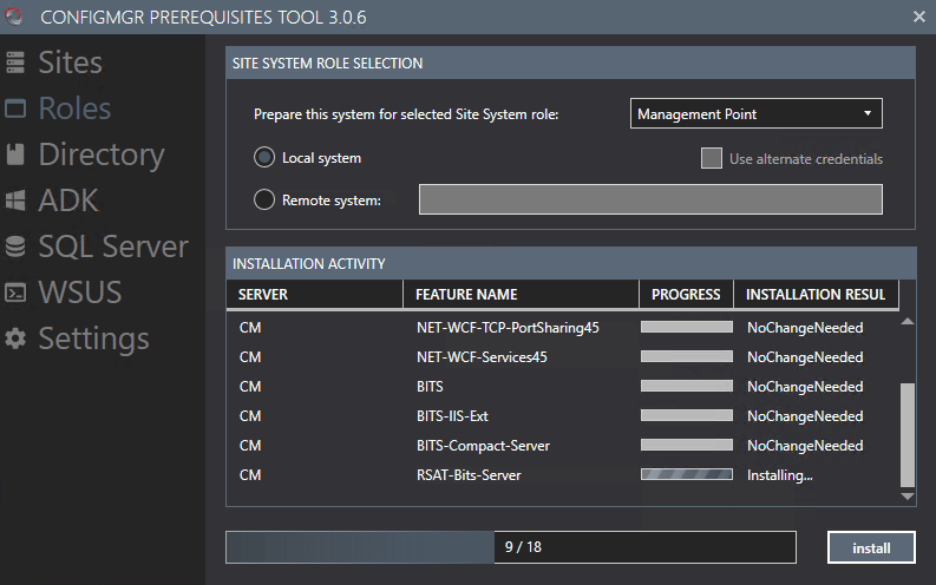
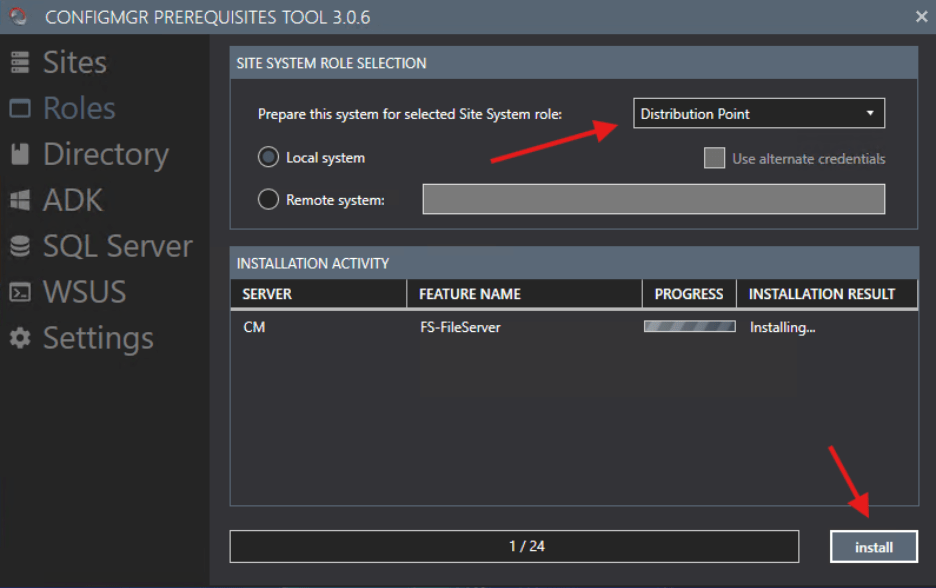
The next step is to run the prereqs for the Management Point and Distribution Point roles. The Management Point Role will check the previously added Primary Site features as well as additional items that are needed for the Management Point, such as additional BITS features, as well as the web server features.

Using the same prerequisites tool, I’m also going to extend the Schema as needed for ConfigMgr. In this window, you need to enter the domain you are extending (the homelab domain) and the files that are needed from the ConfigMgr install media.

If you haven’t already, you can also add the System Management Container. I explained the need for using ASDI Editor to do that in the AD configuration Section, so I won’t be doing that here.
Last but not least, we are going to download and install the Windows Assessment and Deployment Kit (ADK) Note that if you want to use WinPE, you will need to download both the ADK and the WinPE add-on.


That’s it for the ConfigMgr prerequisites. Next, we will set up AD and Group policy for ConfigMgr.
Next steps
Make your homelab more powerful. Download our free tools to help you automate, troubleshoot, and validate configurations in your test environment.
The Homelab Series
Step 1: Creating a Domain Controller with DNS
Step 2: Adding a Certificate Authority
Step 3: Setting up a Gateway VM to Be Used as a Virtual Router (Optional)
Step 4: Configuration Manager Server Prerequisites
Step 5: Settings for Active Directory and Group Policy
Step 6: Installing SQL For ConfigMgr
Step 8: ConfigMgr Basic Settings
Step 9: Configuration Manager Collections and Application Deployments
Step 10: Installing SQL Server Reporting Services
Step 11: Cloud Management Gateway (CMG) Overview
Step 12: Installing the Recast Management Server and Right Click Tools (Optional Step)
Step 13: Recast Management Server (RMS) Configuration (Optional Step)
Step 13.5: Installing and Using the Right Click Tools Browser Extension
Step 14: Installing Right Click Tools Insights – ConfigMgr Reporting
Step 15: Configuring Right Click Tools Patching
Step 16: Setting up Right Click Tools Privileged Access