Lessons Learned from Microsoft 365 Deployment with ConfigMgr: Part 1
Hey Team, thanks for reading through the Office 365 posts, hopefully at this point you've got a good grasp on the Office Setup Process, the Deployment Methods and the user experience. I happen to know a guy who has setup Office 365 Deployments in a rather large enterprise, and was faced with a few "opportunities".
Office 365 Deployment Series with ConfigMgr: Post 5 – Office Updates and Automatic Deployment Rules (ADR)
In this post, I'm going to do a simple "How-to" on creating an ADR and deploying it to your devices. I'm not going to go into the depth that those other 2 posts do.. because I'm not a huge fan of reinventing the wheel. I'll have a little overlap, but will keep it simple.
Office 365 Deployment Series with ConfigMgr: Post 4 – Deployment Methods
Thanks for making it this far in our Deployment and Maintenance of Office 365 using Microsoft's Endpoint Manager, Configuration Manager (MEMCM / SCCM) series, now that we have our Office application setup, it's time to get it deployed, and look into how we can change the channel [Channel on Docs]. Based on how you deploy it, and a setting in the XML file, you'll see different behavior.
Recast’s New Agent, Leverage the ConfigMgr Fast Channel
Here at Recast Software, we are always adding new functionality to benefit our users. We were asked if we could have our tools leverage the ConfigMgr fast channel, so after a bit of development time, a few "debates" among our team, and two HR interventions, we've came up with the Recast Agent.
Office 365 Deployment Series with ConfigMgr: Post 2 – Creating the Office Installer (simple)
In this Deployment and Maintenance of Office 365 using Microsoft's Endpoint Manager, Configuration Manager (MEMCM / SCCM) post, we're going to get familiar with the Office 365 App Creation process that comes built into Configuration Manager.
Building a ConfigMgr Lab from Scratch: Step 11 – Operating System Deployment
In this post, we're going to confirm OSD, and make sure we have what we need for basic OSD. This post will NOT cover the fancy stuff, but just the basics of getting OSD working.
Dashboard Series: Know Your Devices to Manage, Update, and Secure Them Effectively
With our Hardware & Firmware Dashboard, built into Microsoft SCCM, you can streamline those processes. You can also make Windows 10 feature updates easier by getting the big picture on hardware and firmware pre-requisites. Finally, view the firmware status and versioning to assist with necessary firmware updates, which are often pre-requisites to Virtualization-based Security components.
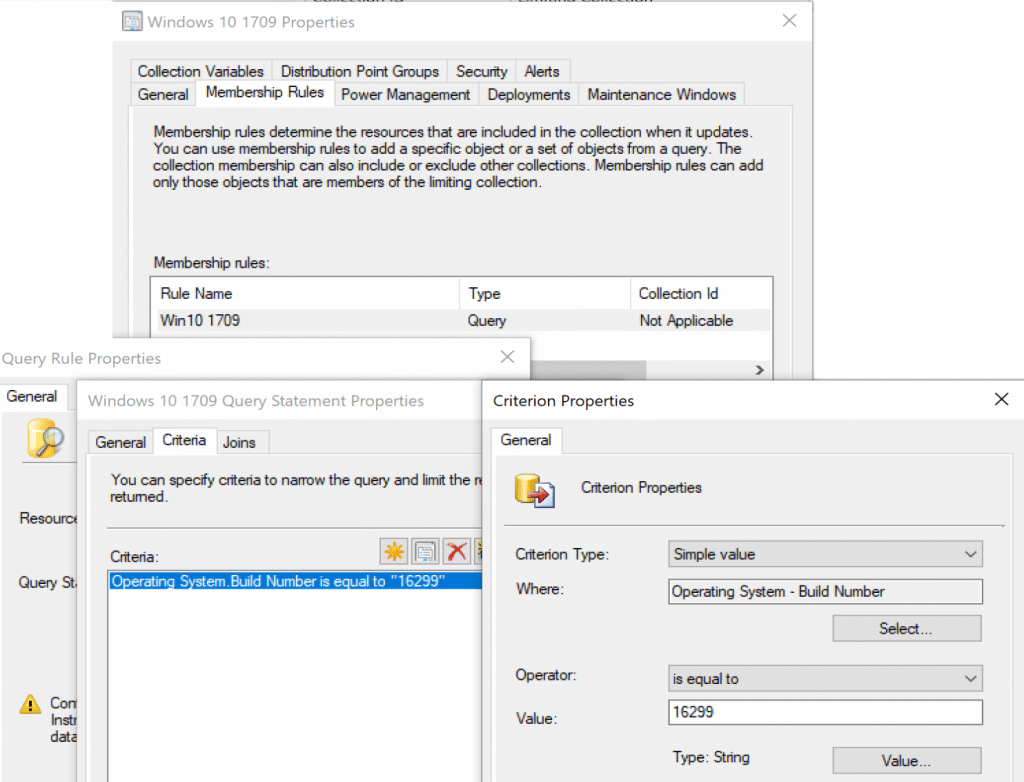
Someone on twitter pointed out that it would be better to use "Installed Software" instead of "Install Application" for the query, while I don't disagree, depending on your reasons, Installed software is not included in Hardware Inventory by default, so unless you went out of your way to enable it (and you should), you could not use it in a query.
How to Implement Unified Write Filter Manager with Right Click Tools
This post we'll cover Microsoft's Unified Write Filter (UWF) technology and how Recast's solution will remove some of the pain of implementation of UWF.
Learn how to add additional items into Hardware Inventory. Two examples, one for HP and one for Lenovo help to import additional information into your CM Database which will help with reporting and queries.
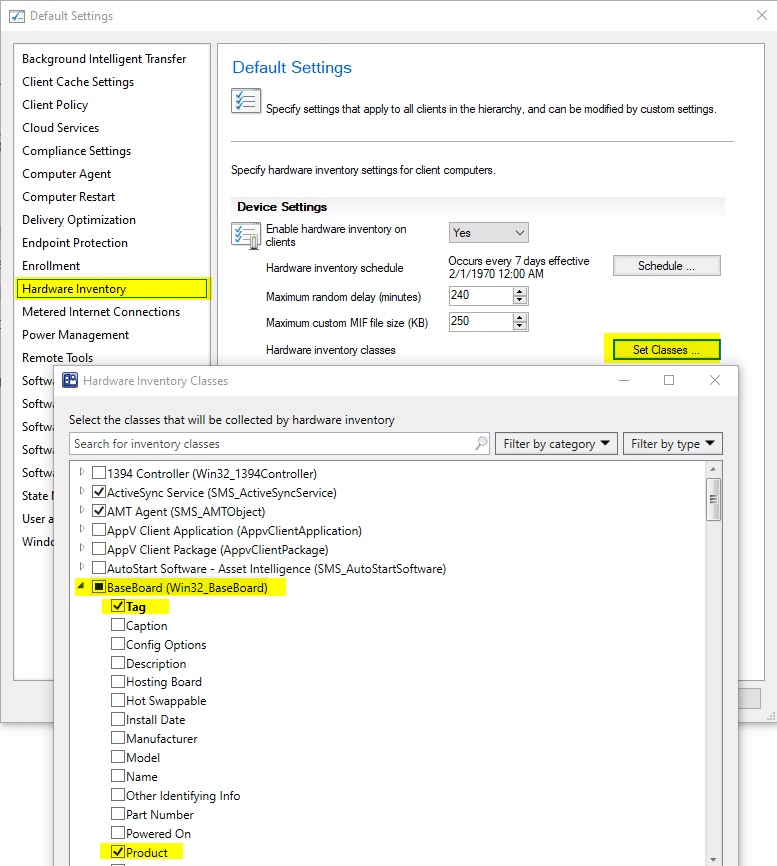
In our recently release of Right Click Tools 4.1, we added the Hardware Audit Dashboard, as we continue to add functionality, to make best use of this feature, you'll have to make sure you're collecting additional information via hardware Inventory, mainly Product in Baseboard.
Right Click Tools Client: Enterprise with Server Deployment
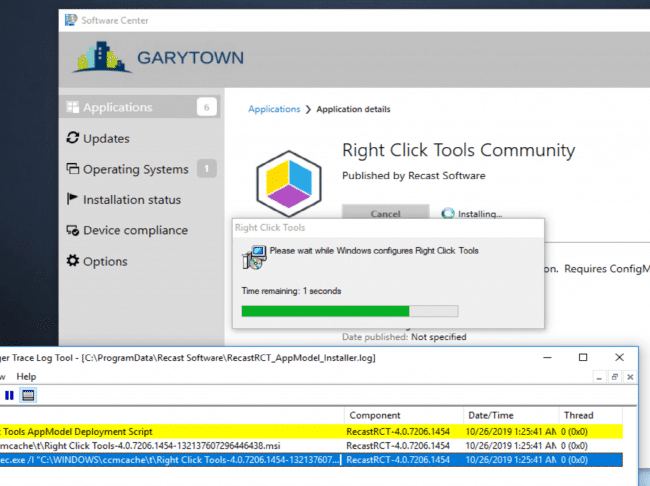
For this post we'll focus on deploying Right Click Tools Client with Enterprise server support and automating the Deployment of the Recast Client Tools.
Microsoft's Unified Write Filter, its a windows feature included in your OS, off by default, but gives you the ability to prevent changes to your system. This post is geared toward a general overview and demo of implementation.
Recast Proxy is a feature that enables you to extend your reach of the Right Click Tools into previously untapped areas, such as: Untrusted Domains, WorkGroup Machines, and machines the user [ConfigMgr Console User] doesn't have rights on directly.
In this post, we'll cover deployment of the Recast Proxy Software. Using ConfigMgr to Deploy the Proxy Installer is pretty easy, and can be done in a few different ways.
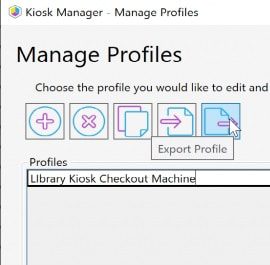
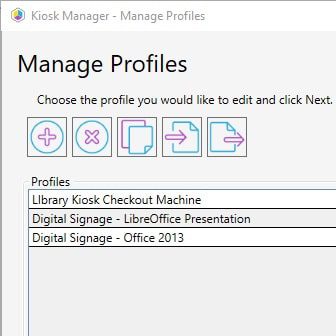
Recast Kiosk Manager is a fan favorite, used by many of our Enterprise customers to help control machines with a few clicks. Sometimes you want to deploy a computer and already have all of these settings applied, using the process Kiosk Manager uses, and stealing the end results, we can create a Task Sequence Module to deploy Recast Kiosk settings during OSD.
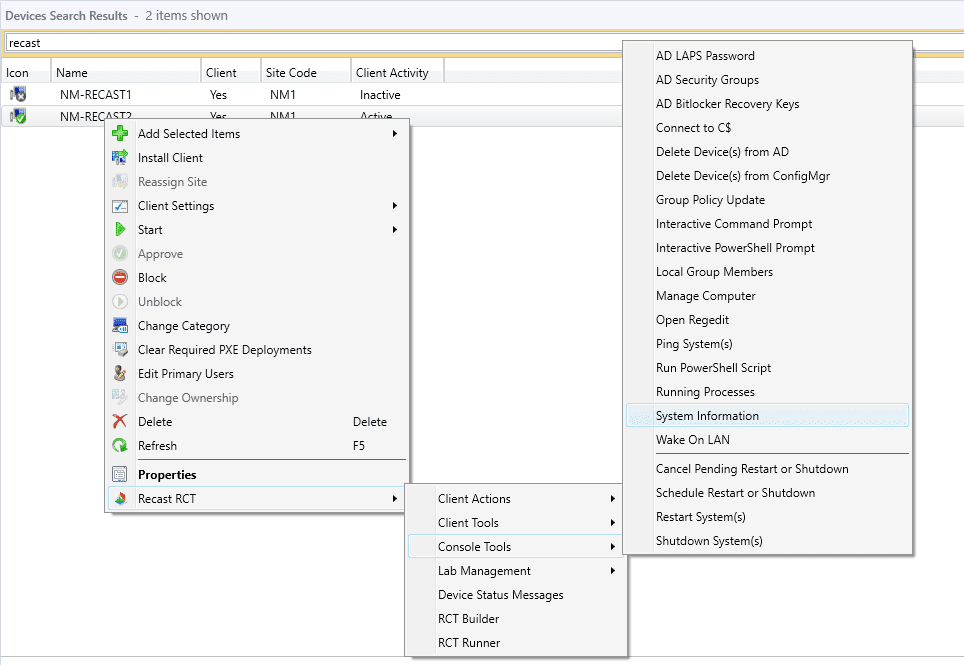
Right Click Tools Highlight: System Information Tool
Over the past 7 years of being a ConfigMgr admin and having the Right Click Tools at my finger tips, one of them stands out as my most used tool: System Information.
Right Click Tools Highlight: Advanced Collection Information
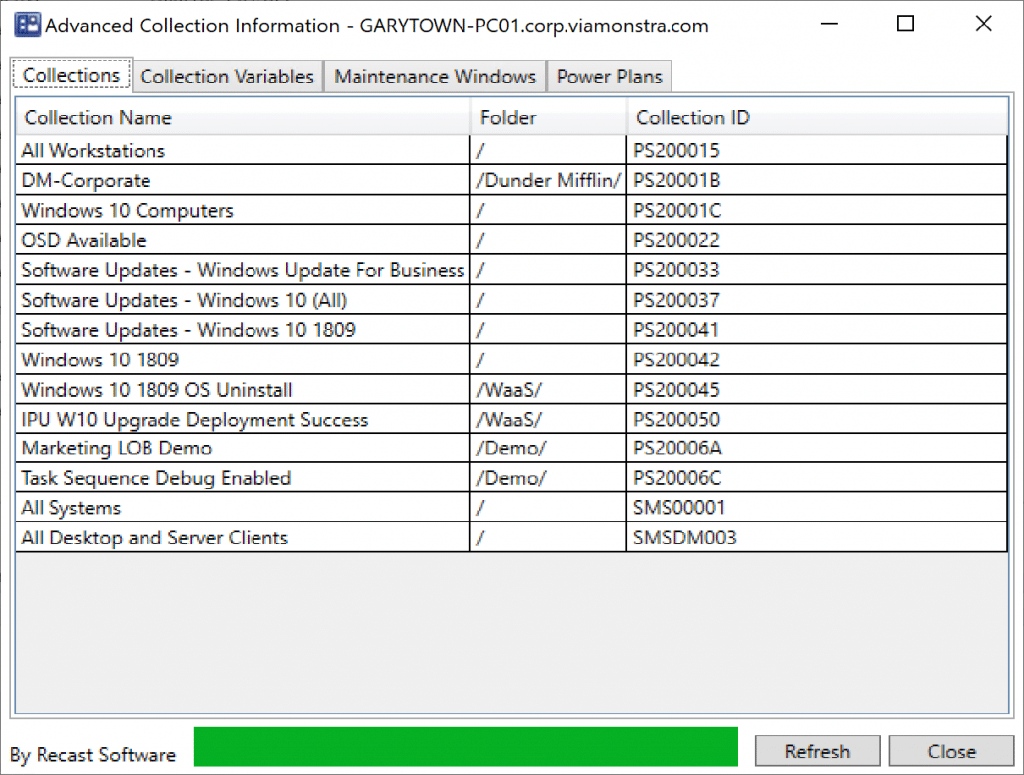
Another one of my Top 10 Right Click Tools is Advanced Collection Information. Right now you're thinking, ha, that tool is obsolete, in 1906, ConfigMgr now gives a list of collections a machine is in the lower pane. At first glance, you'd be right, however, once you launch the tool and take a closer look, you'll see some additional useful information.
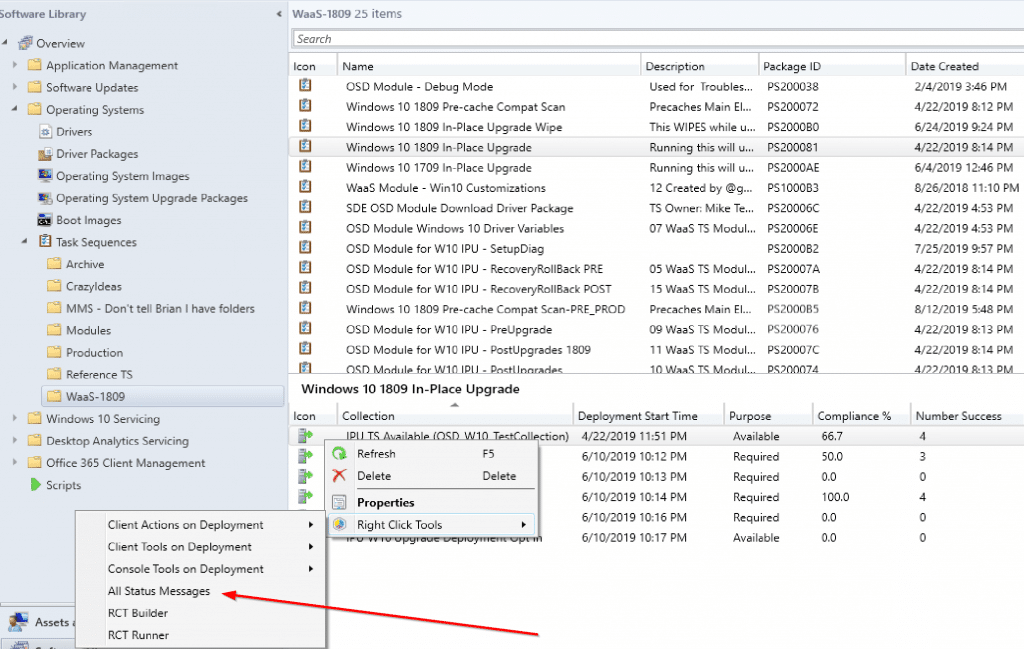
This week, we highlight another nifty little tool, which is great for troubleshooting and reporting. Before I tell you which one it is, I'm going to talk about something instrumental in ConfigMgr, but not something we often think about, Status Messages.
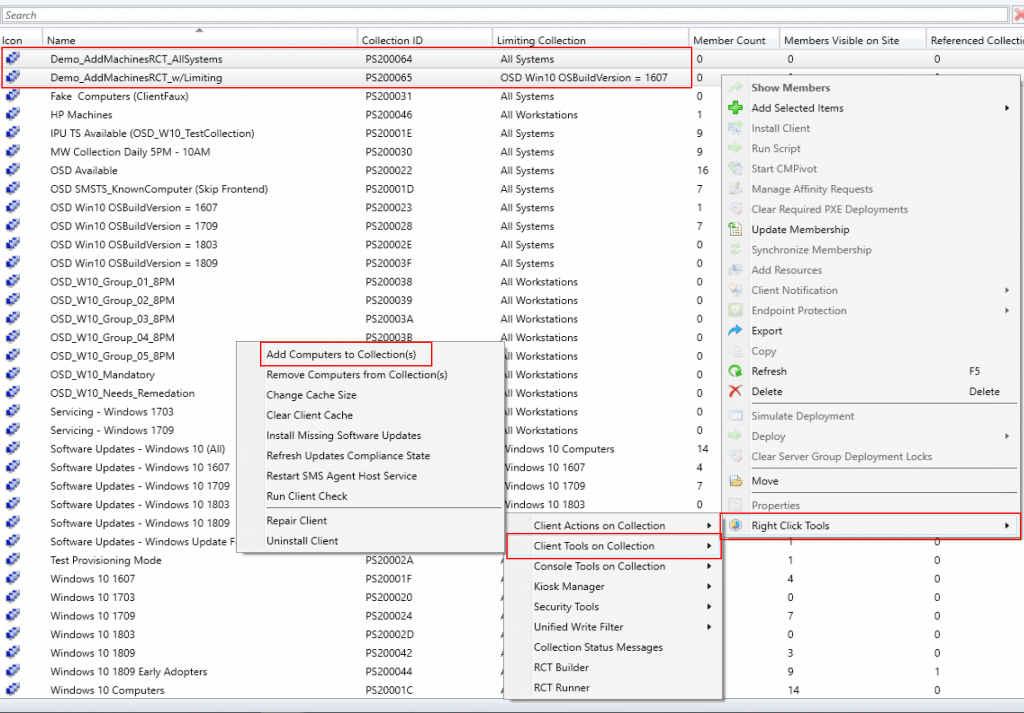
Hey Recast Right Click Tools users. This is a nifty tip that I often forget about, but is pretty powerful when adding or removing machines to and from collections.
Tips and Tricks – How to Delete User Profiles in ConfigMgr
The System Information tool has a wealth of actionable information available at your fingertips. Here's how to use this tool to delete User Profiles from a device.
March is Women's History Month. We looked around the IT community and noticed so many strong women leaders. This blog highlights a few of them, giving them a chance to tell their stories.
Top Use Cases for Locking Down Devices in ConfigMgr (Using Kiosk Manager)
In a recent customer survey, we found that the use cases for locking down devices are wide and vary by industry, from healthcare to education to manufacturing. Right Click Tools’ Kiosk Manager (previously Lab Manager) allows customers to support common kiosk-style requirements, including Shell Replacement, Automatic Login, Restart on Idle, and more.
I’ll show you how to determine within the Configuration Manager console what software updates (SUs) are missing and how to make a Software Update Group for them.
You've done your research. Now, let's take the next step streamline your IT management in the modern workplace. Request a customized quote today for your organization.